Lead magnet ideas are the secret to turning website visitors into friends. Many people visit a site once and then forget to come back.
In fact, studies show that email marketing can return around $36 for every $1 spent, and businesses that use lead magnets can increase conversions significantly (Litmus). This means the right offer can make a big difference.
In this blog post, you will learn simple and effective lead magnet ideas, how to choose the best one for your audience, and how to create something valuable that makes people want to join your email list quickly and easily.
Website launch checklist
Launching a new website can feel like a huge task. There are so many things to remember! Did you check all the links? Is your contact form working? What about your privacy policy? It’s easy to forget something important.
That’s why a “Website Launch Checklist” makes a perfect lead magnet. It helps people avoid common mistakes and feel confident when they finally hit the “go live” button.
I always tell my students that a good checklist takes away the stress and makes big projects manageable. It’s a simple tool that provides massive value.
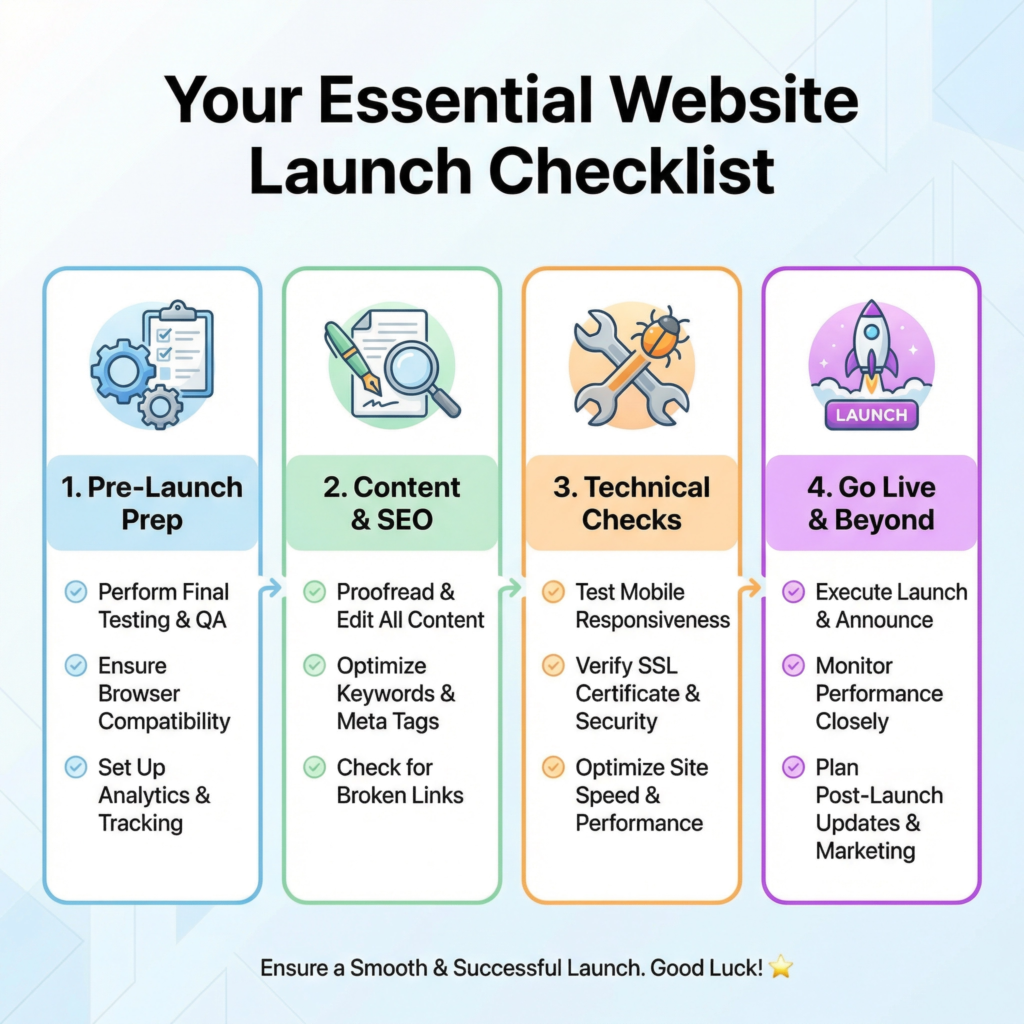
Think about all the steps involved in getting a website ready. You need to pick a domain name, set up hosting, design the pages, write the content, and test everything.
Each of these steps has smaller tasks within it. A checklist breaks down this big project into bite-sized pieces.
For example, under “Content,” you might have: “Write homepage text,” “Create About Us page,” “Add blog posts,” and “Check for typos.”
This makes the whole process less scary and much more organized. People love checklists because they provide a clear path to success.
I like to make my website launch checklists very detailed but also easy to follow. I use simple language and clear checkboxes.
I also add a section for “Before Launch” and “After Launch” tasks. This helps people think about what needs to be done both before and after their site goes live.
You can even add a few bonus tips, like “How to tell Google your site is live” or “Basic security checks.” These extra touches make your checklist even more valuable and show that you are an expert who truly cares about helping them succeed.
Once you create your checklist, you can offer it for free on your website. People who are planning to launch a site will be very happy to get it.
In exchange for their email address, they get a helpful tool. You get a new subscriber who is interested in your services or products. It’s a win-win situation!
This lead magnet helps you build your email list with people who are actively working on their websites. They are the perfect audience for any web design tips, tools, or services you might offer later.
Daily productivity checklist
Do you ever feel like there aren’t enough hours in the day? Do you start your morning with good intentions, but then get sidetracked? Many people struggle with staying focused and getting their most important tasks done.
That’s why a “Daily Productivity Checklist” is such a powerful lead magnet. It helps people organize their day, prioritize tasks, and feel a sense of accomplishment.
I always tell my students that productivity isn’t about working harder; it’s about working smarter. A simple checklist can be the key to unlocking a more productive day.
Think about the common struggles people face with productivity. They might feel overwhelmed, forget important tasks, or get distracted easily.
A checklist addresses these problems head-on. It provides a clear, step-by-step guide for how to approach their day.
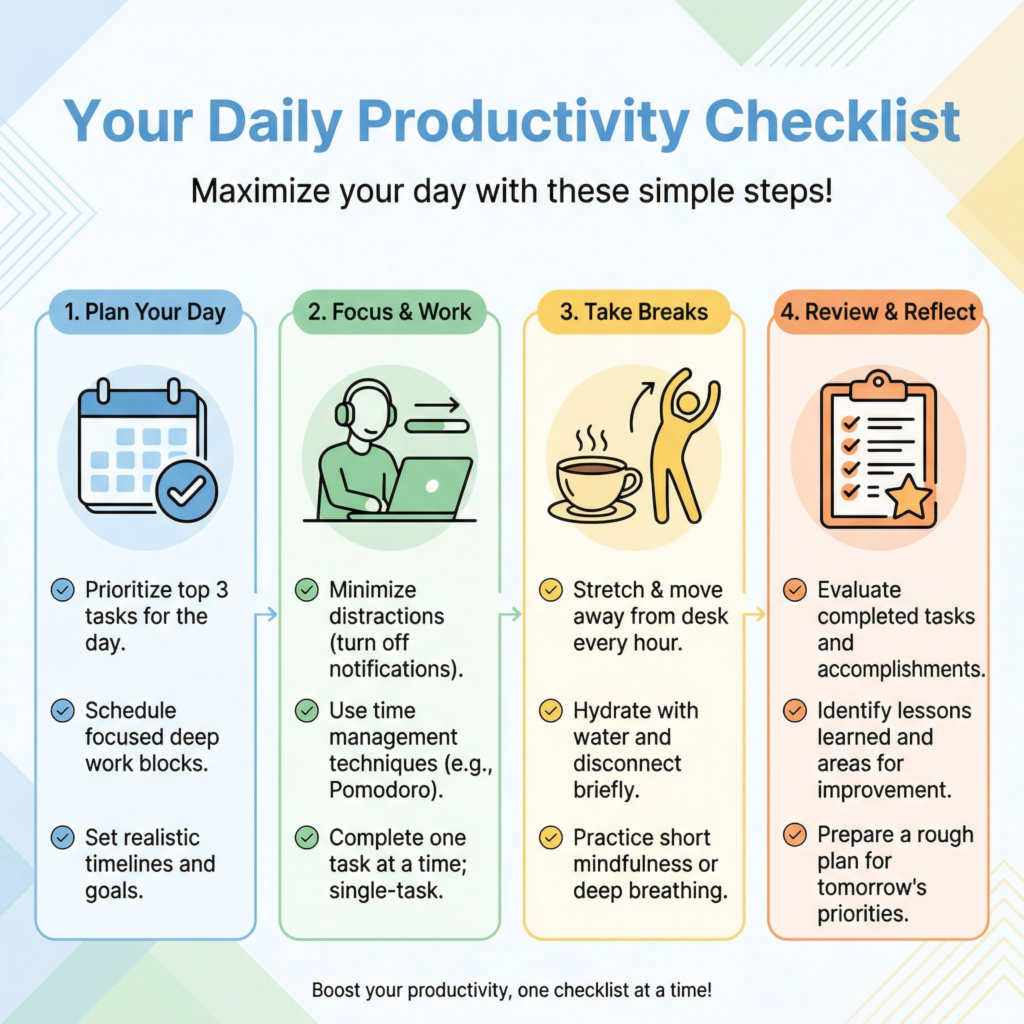
For example, your checklist might include: “Plan your top 3 tasks for tomorrow tonight,” “Start your day with your most important task,” “Take short breaks,” and “Review your progress at the end of the day.” Each item is a small, actionable step that helps them build better habits.
I like to make my daily productivity checklists very practical and easy to use. I use simple language and clear instructions.
I also add a section for “Morning Routine,” “Work Block,” and “Evening Wind-Down.” This helps people structure their entire day for maximum efficiency.
You can even add a few bonus tips, like “How to avoid distractions” or “Quick energy boosts.”
These extra touches make your checklist even more valuable and show that you are an expert who truly understands their struggles.
Once you create your checklist, you can offer it for free on your website. People who are looking to improve their time management and get more done will be very happy to get it.
In exchange for their email address, they get a helpful tool. You get a new subscriber who is interested in your productivity tips, courses, or coaching. It’s a win-win situation!
This lead magnet helps you build your email list with people who are actively seeking solutions to their productivity challenges.
They are the perfect audience for any related products or services you might offer later.
Short Ebook or Guide
Do you have a lot of knowledge to share but don’t want to write a whole book? A short ebook or guide is the perfect solution. It’s a powerful lead magnet that helps you share your expertise and attract new customers.
I always tell my students that an ebook doesn’t have to be hundreds of pages long.
Even a 10-20 page guide can provide immense value and position you as an expert in your field. It’s like giving your audience a taste of your best advice, leaving them wanting more.
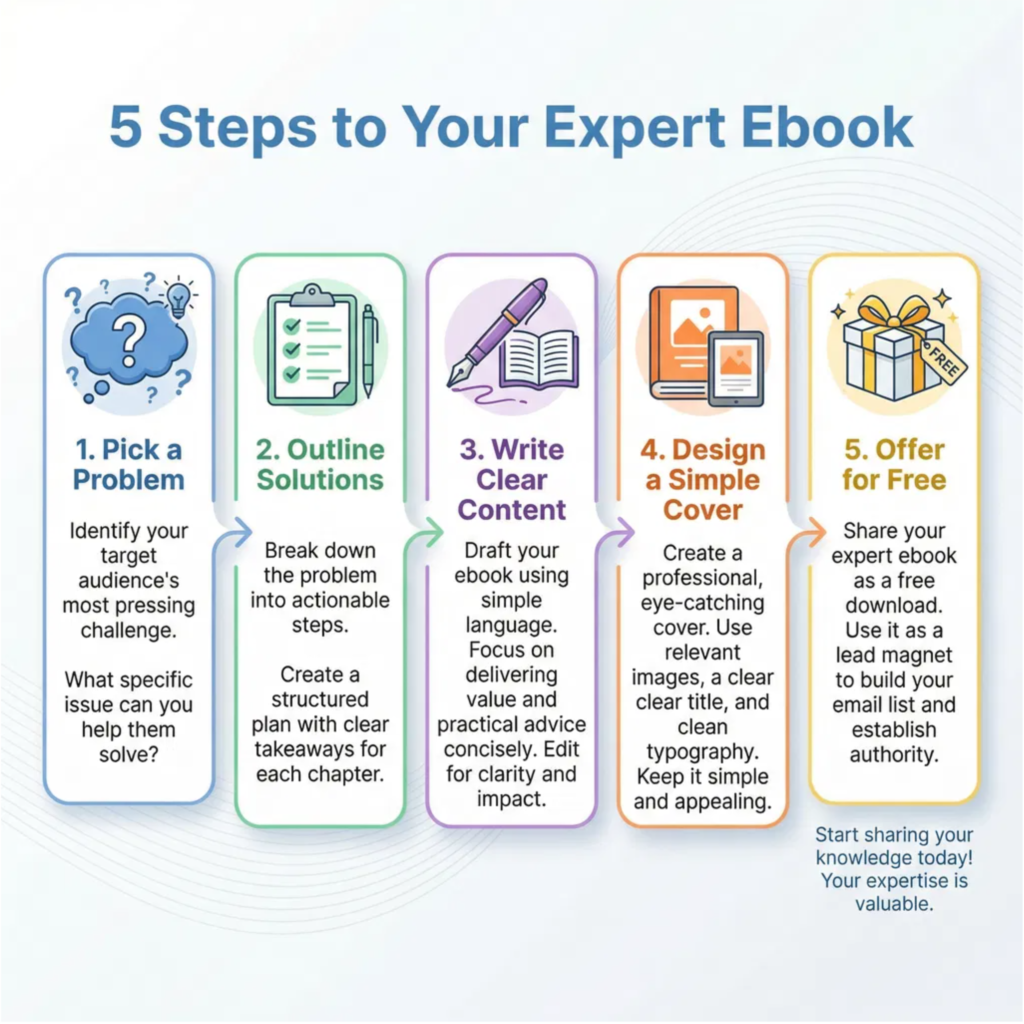
Think about a specific problem your audience faces. Then, create a guide that offers a clear solution to that problem.
For example, if you help people with gardening, your ebook could be “The 7 Secrets to a Thriving Vegetable Garden.” If you teach online marketing, it could be “Your First 5 Steps to Getting More Website Traffic.”
The key is to make it focused and actionable. People love guides that tell them exactly what to do to get a specific result. This makes your ebook feel like a valuable tool, not just a bunch of words.
I like to structure my short ebooks with an introduction, a few main chapters (each solving a part of the problem), and a conclusion with a call to action.
Each chapter should be easy to read and understand. Use bullet points, bold text, and clear headings to break up the text.
Adding a few relevant images or screenshots can also make your guide more engaging. You don’t need fancy design software.
Simple tools like Google Docs or Canva can help you create a professional-looking PDF that people will be happy to download.
Once your short ebook is ready, you can offer it for free on your website or social media. In exchange for their email address, people get instant access to your valuable guide.
This helps you build your email list with people who are genuinely interested in your topic. These are the perfect people to offer your paid products or services to later.
A short ebook is a powerful way to demonstrate your expertise, build trust, and grow your audience. It’s a quick win for your readers and a smart strategy for your business.
Email templates
Do you ever stare at a blank screen, wondering what to write in an email? Crafting the perfect email can take a lot of time and effort, especially if you send many of them.
That’s why “Email Templates” make an incredibly useful lead magnet. They give people a head start, saving them time and helping them communicate more effectively.
I always tell my students that good communication is key to any business, and templates are your secret weapon for making it easy. It’s a simple tool that solves a common, frustrating problem.
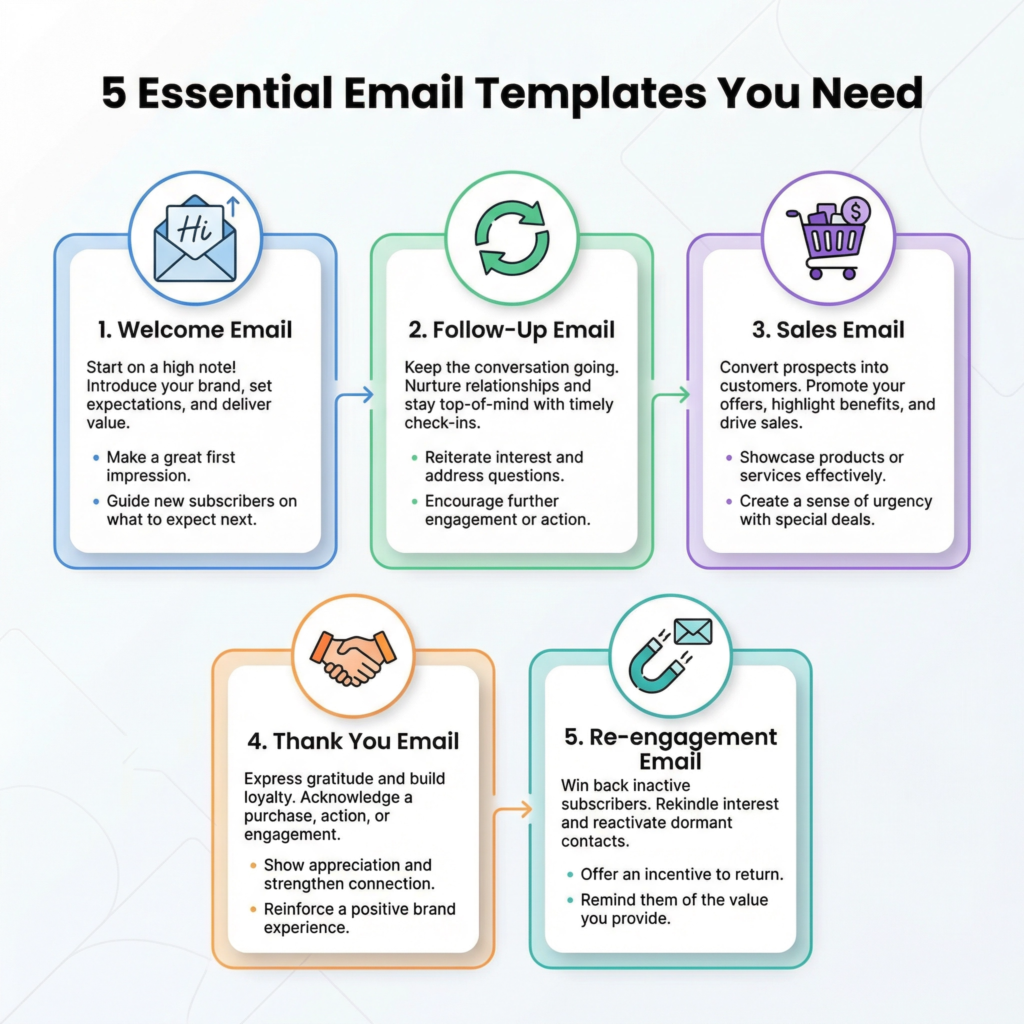
Think about the types of emails your audience sends regularly. Are they sending welcome emails to new clients? Follow-up emails after a meeting? Sales emails to potential customers? Each of these can be turned into a template.
For example, you could offer “5 Welcome Email Templates for New Subscribers” or “3 Follow-Up Email Templates That Get Replies.”
The key is to make the templates ready to use. People should be able to copy, paste, and make small changes to fit their needs. This makes your lead magnet incredibly practical and valuable.
I like to make my email templates very clear and easy to customize. I include placeholders like “[Client Name]” or “[Your Service]” so people know exactly what to change.
I also add a short note explaining when to use each template and what goal it helps them achieve. For example, “Use this template to thank a new client and set expectations for your work together.”
These extra instructions make your templates even more helpful and show that you understand their needs. You can create these templates in a simple Google Doc or a PDF.
Once you create your email templates, you can offer them for free on your website. People who struggle with email writing or want to save time will be very happy to get them.
In exchange for their email address, they get a valuable resource. You get a new subscriber who is interested in improving their communication or streamlining their business. It’s a win-win situation!
This lead magnet helps you build your email list with people who are actively seeking solutions to their communication challenges.
They are the perfect audience for any writing courses, coaching, or services you might offer later.
Sales page templates
Creating a sales page that actually convinces people to buy can feel like a mystery. What words should you use? What sections do you need? How do you make it look good?
Many business owners struggle with this, and that’s why “Sales Page Templates” make an incredibly valuable lead magnet.
They give people a clear blueprint to follow, taking the guesswork out of writing a page that sells.
I always tell my students that a good sales page isn’t about tricking people; it’s about clearly showing them how your product or service will solve their problem. A template makes this process much easier.
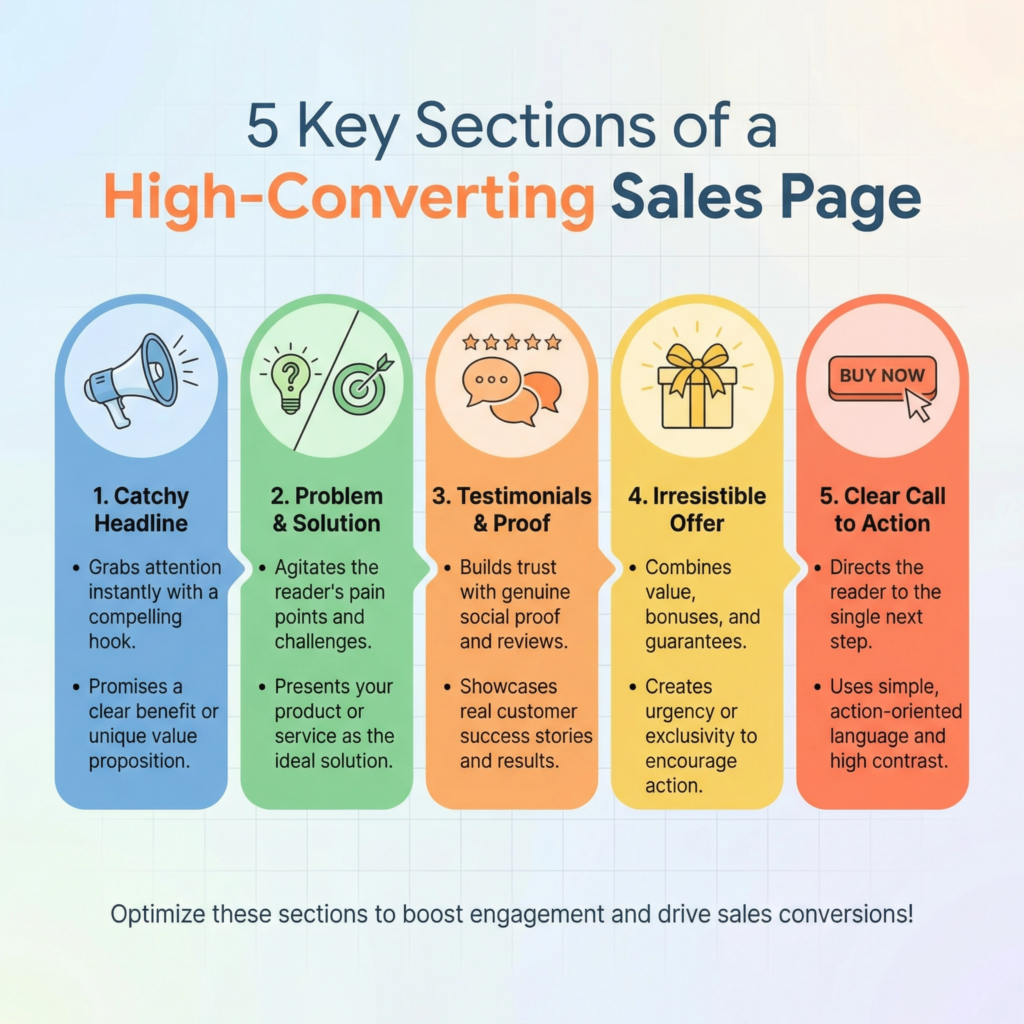
Think about the different parts of a sales page. You need a strong headline, a section that talks about the problem, another that introduces your solution, testimonials, a clear offer, and a call to action.
Each of these parts has a specific job. A sales page template lays out these sections for your audience.
For example, you could offer “5 High-Converting Sales Page Templates for Online Courses” or “3 Sales Page Layouts That Attract High-Paying Clients.”
The key is to make the templates easy to fill in. People should be able to copy, paste, and customize them with their own product details.
I like to make my sales page templates very detailed but also flexible. I include placeholders like “[Your Irresistible Offer]” or “[Client Success Story]” so people know exactly what kind of content to put there.
I also add short notes explaining the purpose of each section. For example, “Use this section to highlight the biggest pain point your audience faces.”
These extra instructions make your templates even more helpful and show that you understand the psychology behind a good sales page.
You can create these templates in a simple Google Doc, a PDF, or even a basic web page builder format.
Once you create your sales page templates, you can offer them for free on your website. People who are launching new products, services, or courses will be very happy to get them.
In exchange for their email address, they get a powerful tool that can directly help them make money.
You get a new subscriber who is actively trying to grow their business. It’s a win-win situation!
This lead magnet helps you build your email list with people who are serious about selling online.
They are the perfect audience for any copywriting courses, marketing services, or business coaching you might offer later.
Social media templates
Do you ever feel stuck trying to create engaging social media posts? Coming up with fresh ideas and designing eye-catching graphics can take a lot of time every single day.
That’s why “Social Media Templates” make an incredibly useful lead magnet. They give people a head start, providing ready-made designs and ideas that they can easily customize.
I always tell my students that consistency is super important on social media. Templates are your secret weapon for posting regularly without burning out.
It’s a simple tool that solves a common, time-consuming problem for many business owners and content creators.
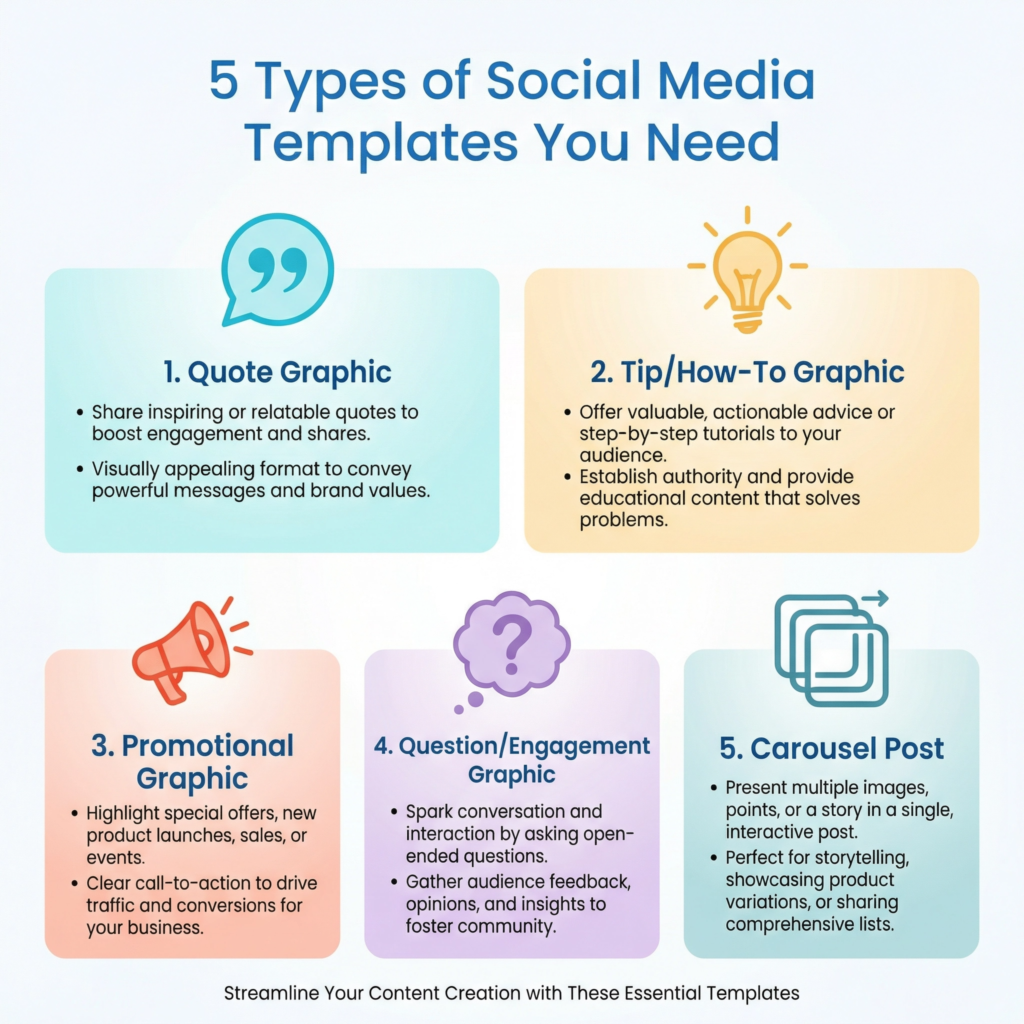
Think about the different types of posts your audience needs. Are they looking for engaging questions, inspiring quotes, promotional graphics, or quick tips? Each of these can be turned into a template.
For example, you could offer “10 Instagram Story Templates for Coaches” or “5 Facebook Post Templates for Small Businesses.”
The key is to make the templates easy to use and customize. People should be able to change the colors, fonts, and text to match their own brand in just a few clicks.
This makes your lead magnet incredibly practical and valuable, as it directly helps them create content faster.
I like to make my social media templates very versatile. I include different layouts for different purposes, like a “Question of the Day” template, a “Tip of the Week” template, or a “New Blog Post Alert” template.
I also add short notes explaining how to use each template and what kind of content works best with it.
For example, “Use this template to ask your audience a thought-provoking question and encourage comments.”
These extra instructions make your templates even more helpful and show that you understand the challenges of social media marketing.
You can create these templates using free design tools like Canva, making them accessible to everyone.
Once you create your social media templates, you can offer them for free on your website.
People who struggle with social media content creation or want to save time will be very happy to get them.
In exchange for their email address, they get a valuable resource that helps them post consistently. You get a new subscriber who is interested in your social media tips, courses, or coaching.
It’s a win-win situation! This lead magnet helps you build your email list with people who are actively seeking solutions to their social media marketing challenges.
They are the perfect audience for any related products or services you might offer later, helping them grow their online presence.
Free Mini Course
Do you want to give your audience a powerful learning experience without asking them to buy a full course right away?
A “Free Mini Course” is an amazing lead magnet for this. It’s like offering a small, delicious sample of your best work.
People get to experience your teaching style, learn something valuable, and see how you can help them.
I always tell my students that a mini course is not just about giving away free information; it’s about giving away a free win.
When people get a quick result from your mini course, they are much more likely to trust you and invest in your paid products.
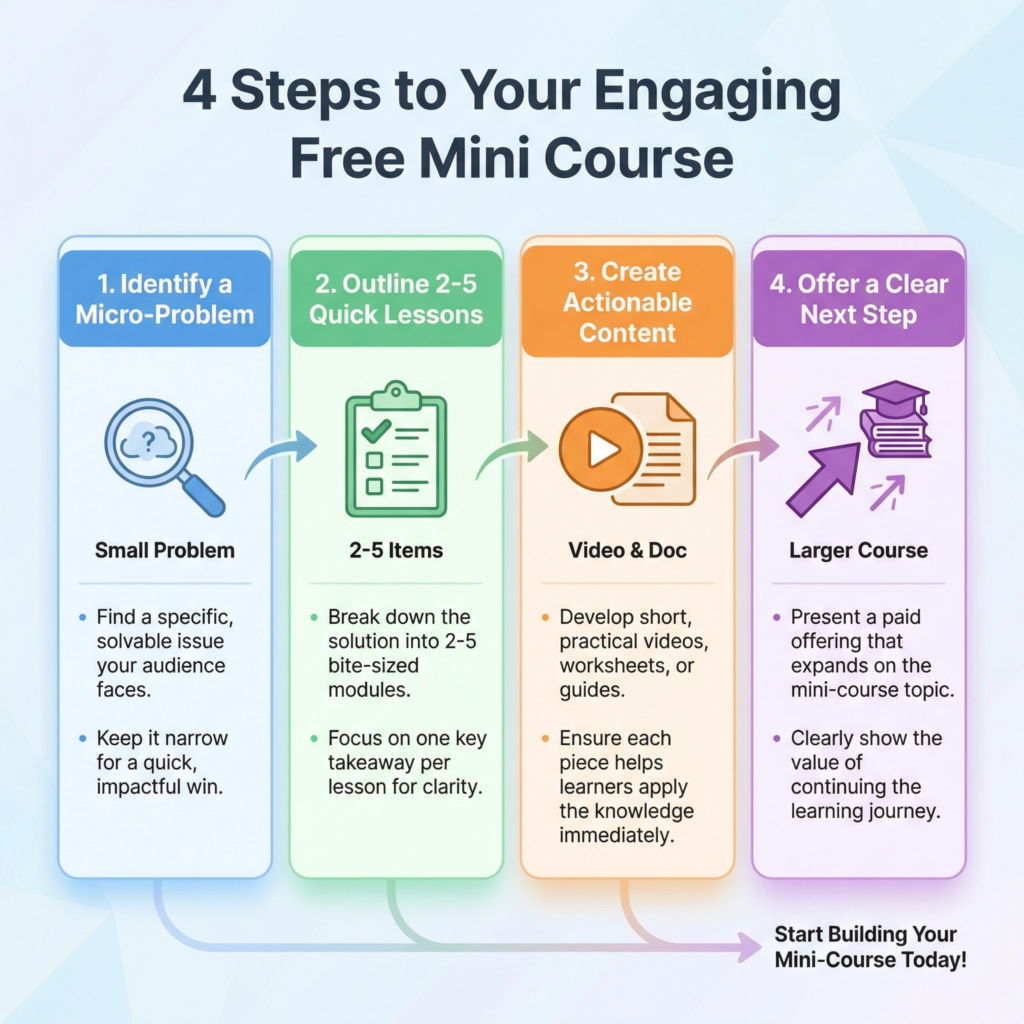
Think about a small, specific problem your audience faces that you can solve in just a few lessons.
For example, if you teach photography, your mini course could be “3 Steps to Taking Better Smartphone Photos.” If you help people with fitness, it could be “The 5-Minute Morning Stretch Routine.”
The key is to make it short, focused, and easy to complete. People are busy, so a mini course that delivers a quick win is highly attractive.
It should leave them feeling good about their progress and excited to learn more from you.
I like to structure my mini courses with 2-5 short video lessons or text modules. Each lesson should build on the last one, leading to a clear outcome.
You can use simple tools like Loom for video recording or Google Docs for text lessons. I also include a small worksheet or a checklist for each lesson.
This helps students take action and apply what they are learning. At the end of the mini course, I always include a clear call to action for my main, paid course. This is a natural next step for people who love free training.
Once your free mini course is ready, you can offer it on your website or social media. People who are looking for solutions to a specific problem will be very happy to get it.
In exchange for their email address, they get a valuable learning experience. You get a new subscriber who has already experienced your expertise and seen your teaching style.
It’s a win-win situation! This lead magnet helps you build your email list with people who are actively seeking to learn and grow.
They are the perfect audience for your full courses, coaching, or membership programs.
Quiz or Assessment
Do you want to help your audience understand themselves better? A “Quiz or Assessment” is a super fun and engaging lead magnet.
People love to learn about themselves! It’s like a quick game that gives them a personalized result.
I always tell my students that a good quiz doesn’t just entertain; it educates. It helps people see where they are right now and what they need to do next.
This makes your lead magnet incredibly powerful because it provides instant value and sparks curiosity. It’s a simple tool that can create a strong connection with your audience.
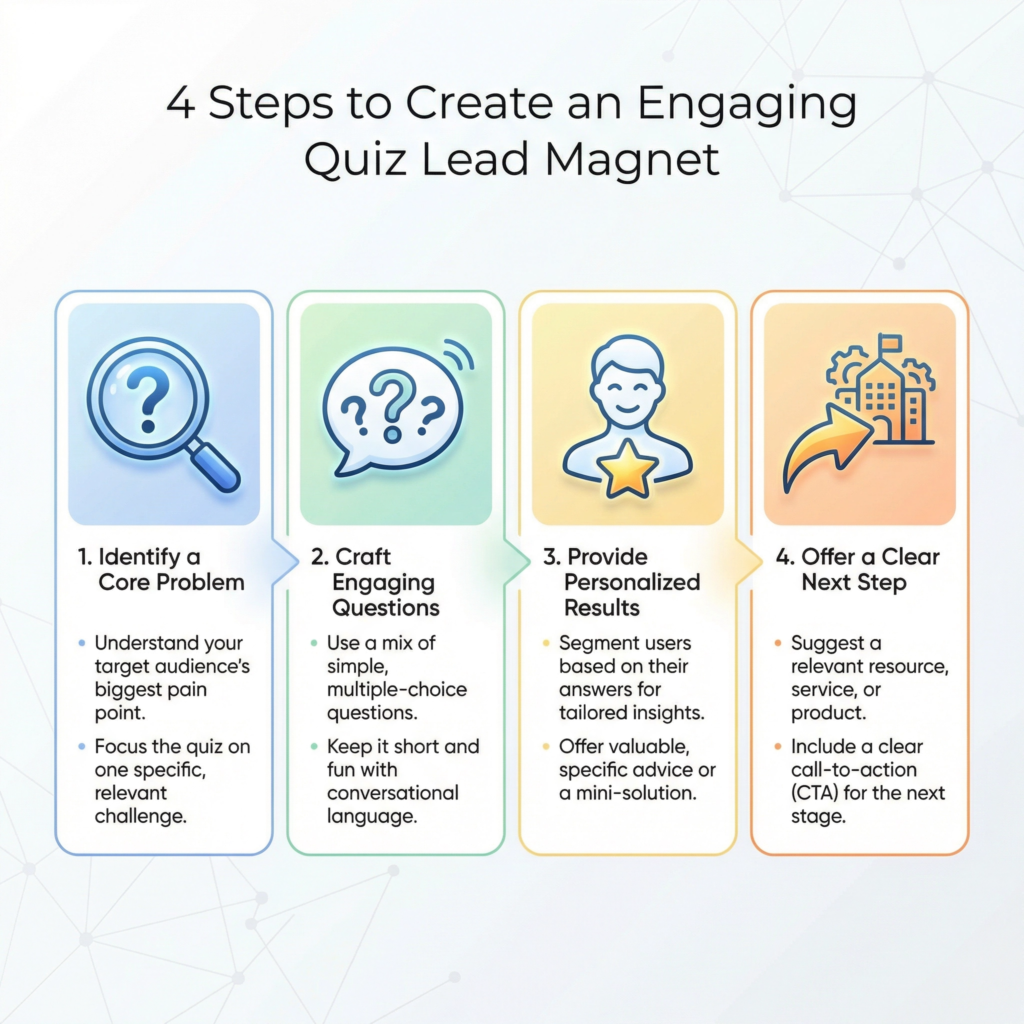
Think about a common challenge your audience faces. Can you create a quiz that helps them understand their current situation related to that challenge?
For example, if you help people with their finances, your quiz could be “What’s Your Money Mindset Score?” If you teach marketing, it could be “How Strong Is Your Online Presence? Take the Quiz!”
The key is to make the questions easy to answer and the results meaningful. Each answer should lead to a different outcome, giving people a personalized score or profile. This makes the quiz feel very relevant to them.
I like to keep my quizzes short and sweet, usually 5-10 questions. This makes them quick to complete. I use simple language and clear choices for each answer.
After they finish the quiz, I ask for their email address to send them their personalized results. This is where the real magic happens! In the results email, I don’t just give them a score.
I explain what their score means and offer a few quick tips based on their answers. I also gently suggest how my main product or service can help them improve their score even more. This creates a natural bridge from the free quiz to your paid offerings.
You can use online quiz builders to create your assessment. Many of them are easy to use and even have free options.
Once your quiz is ready, you can share it on your website, social media, or in your email signature.
People love to share their quiz results with friends, which helps your content spread even further.
This lead magnet helps you build your email list with people who are actively seeking self-improvement and solutions.
They are the perfect audience for your courses, coaching, or products that address the problems highlighted by the quiz.
Resource List
Do you ever feel overwhelmed by all the tools and websites out there? It can be hard to know what’s good and what’s not.
That’s why a “Resource List” makes an incredibly helpful lead magnet. It’s a curated collection of the best tools, books, websites, or services that you personally recommend.
I always tell my students that people don’t just want information; they want solutions.
A resource list provides direct solutions by pointing them to the exact tools they need to succeed. It’s a simple way to share your expertise and build trust with your audience.
Think about the specific area you are an expert in. What tools do you use every day? What books have changed your life? What websites do you visit for inspiration or information?
For example, if you help people with online marketing, your resource list could be “My Top 10 Tools for Growing Your Business Online.”
If you teach cooking, it could be “The Essential Kitchen Gadgets for Every Home Chef.” The key is to make it focused and genuinely helpful. Don’t just list random things.
Explain why you recommend each item and how it has helped you or your clients. This adds massive value and shows your audience that you’ve done the homework for them.
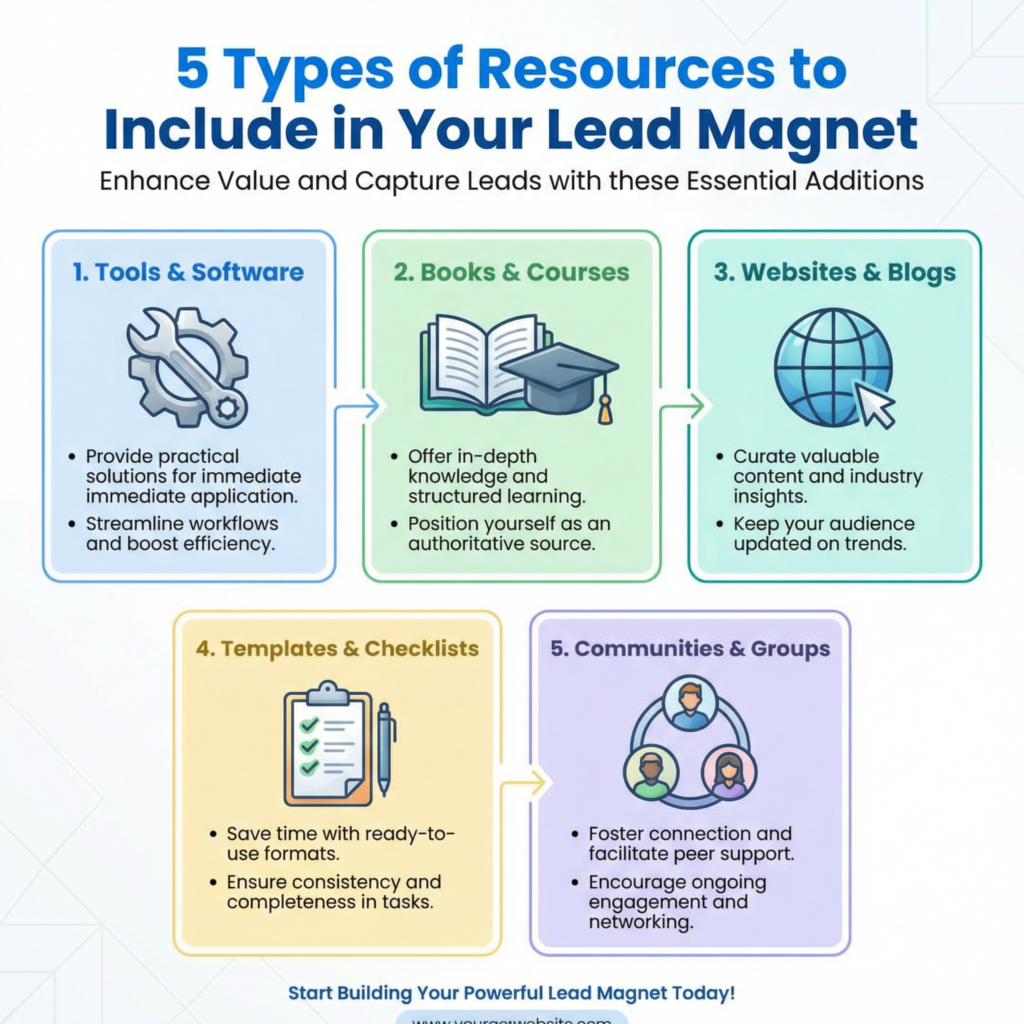
I like to organize my resource lists into categories. For example, “Website Tools,” “Marketing Software,” “Learning Resources,” or “Favorite Books.” This makes it easy for people to find what they are looking for.
I also include a short description for each resource, explaining what it is and why it’s useful.
You can even add a small image or logo for each tool to make it more visually appealing. You don’t need fancy design software.
A simple PDF created in Google Docs or Canva can look very professional. The goal is to make it easy to read and easy to use.
Once your resource list is ready, you can offer it for free on your website. People who are looking for recommendations or trying to solve a specific problem will be very happy to get it.
In exchange for their email address, they get a valuable shortcut to success. You get a new subscriber who trusts your recommendations and is interested in your area of expertise.
It’s a win-win situation! This lead magnet helps you build your email list with people who are actively seeking solutions and guidance.
They are the perfect audience for any products, services, or courses you might offer later that use or relate to these resources.
Email Challenge
Do you want to get your audience actively involved and help them achieve a specific goal over a few days? An “Email Challenge” is a fantastic lead magnet for this. It’s like a mini-course delivered directly to their inbox, but with a fun, interactive twist.
People love challenges because they provide structure, motivation, and a clear path to a result.
I always tell my students that a good email challenge doesn’t just give information; it guides people through a transformation. It’s a simple yet powerful tool to build a strong connection and demonstrate your expertise.
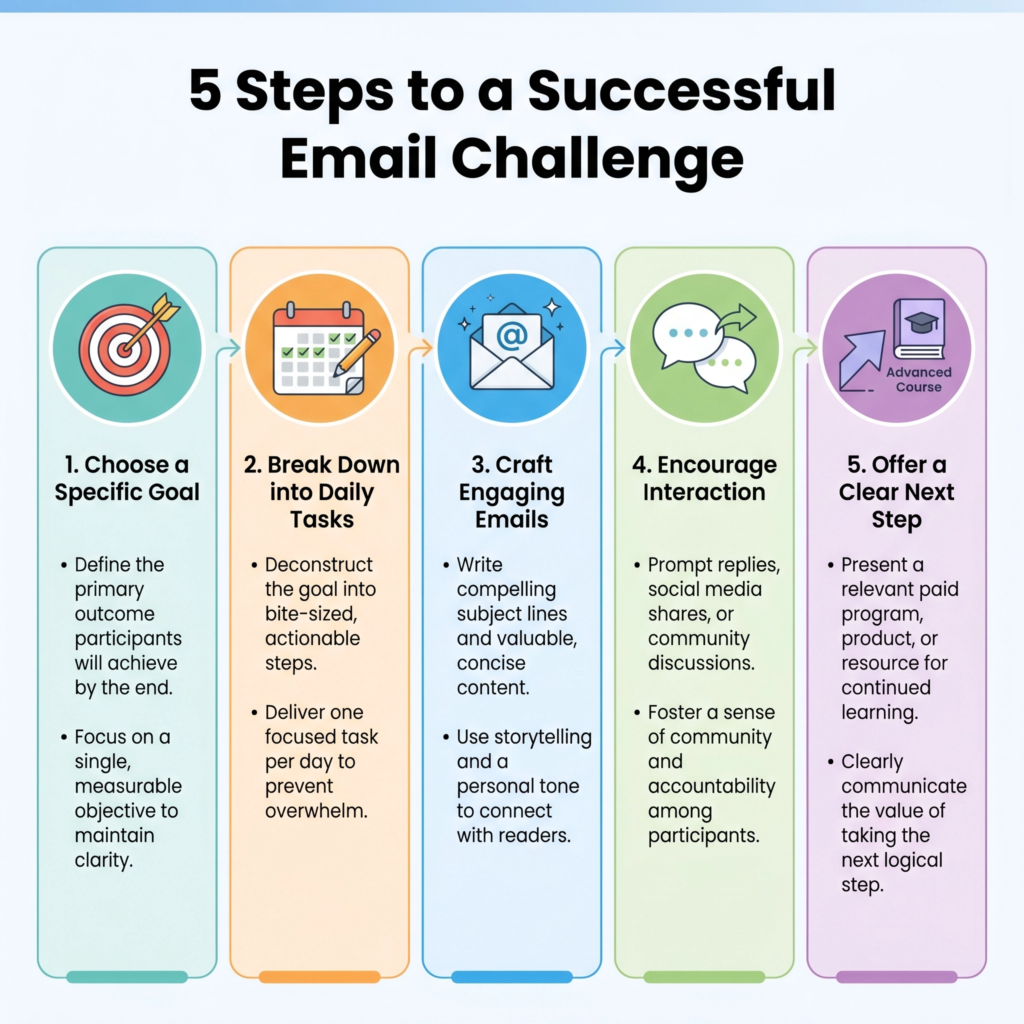
Think about a small, achievable goal your audience wants to reach. Can you break it down into daily steps that can be delivered via email?
For example, if you help people with fitness, your challenge could be “The 5-Day Plank Challenge.” If you teach writing, it could be “The 7-Day Journaling Habit Challenge.”
The key is to make each day’s task simple, clear, and easy to complete. People are more likely to stick with a challenge if they feel successful each day. This builds momentum and keeps them engaged with your content.
I like to structure my email challenges with a welcome email, followed by daily emails for the duration of the challenge (e.g., 3, 5, or 7 days).
Each daily email should include a clear instruction, a quick tip, and maybe a short video or worksheet.
I also encourage participants to share their progress on social media using a specific hashtag. This creates a sense of community and helps spread the word about your challenge.
At the end of the challenge, I always include a clear call to action for my main, paid product or service. This is a natural next step for people who enjoyed the challenge and want to continue their journey with you.
You can use your email marketing software to set up an automated sequence for your challenge. This means that once someone signs up, the emails go out on their own, day after day.
It’s a smart way to put your marketing on autopilot and deliver consistent value. This lead magnet helps you build your email list with people who are actively seeking to learn, grow, and take action.
They are the perfect audience for your courses, coaching, or products that address the problems solved by the challenge.
An email challenge is not just a lead magnet; it’s an experience that builds trust and positions you as a helpful guide.
Case Study
Do you want to show your audience that your methods actually work? A “Case Study” is one of the most powerful lead magnets you can create.
It tells a real story about how you or one of your clients achieved a specific result using your strategies, products, or services.
I always tell my students that people don’t just want promises; they want proof.
A case study provides that proof by showing, not just telling, the success. It’s a simple yet incredibly effective way to build trust and demonstrate your value.
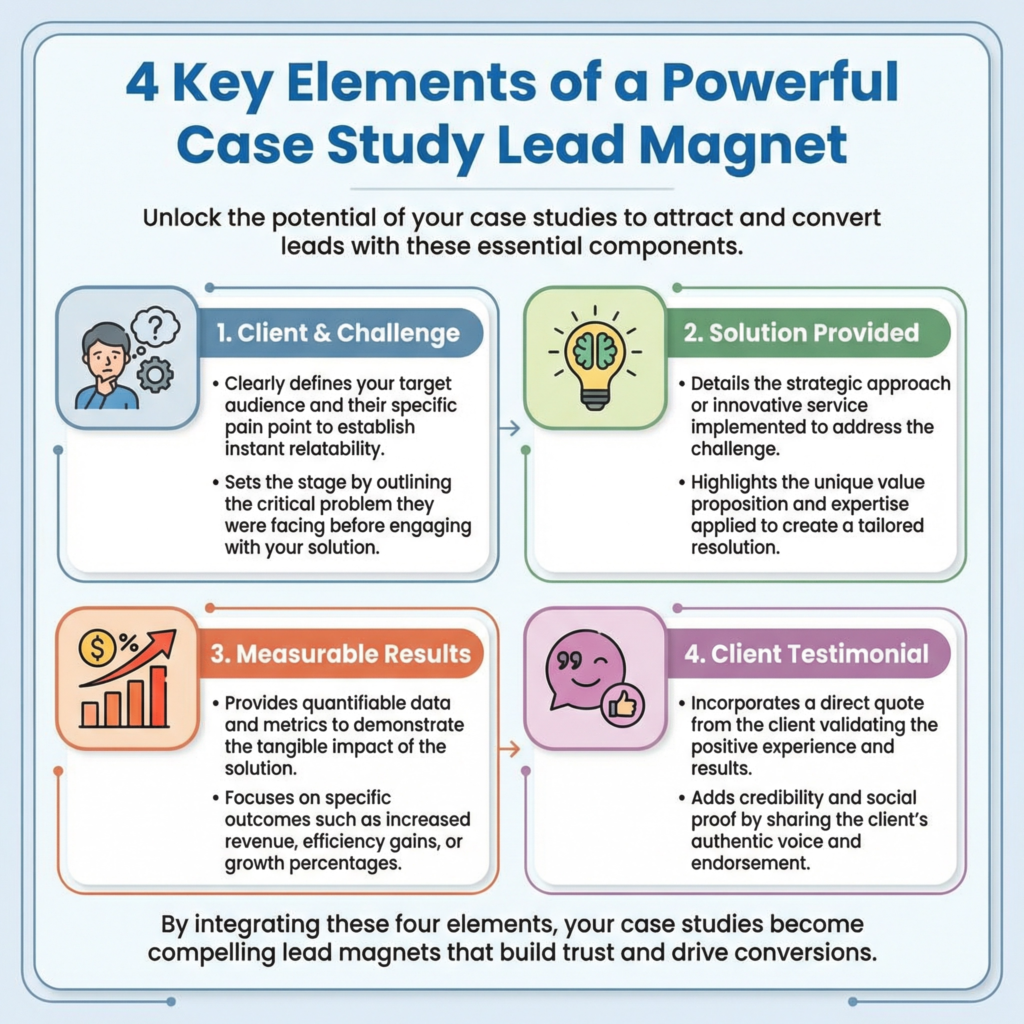
Think about a client or a project where you achieved a clear, measurable success. What was the problem they faced? What solution did you provide? What were the amazing results?
For example, if you help small businesses with social media, your case study could be “How [Client Name] Grew Their Instagram Followers by 300% in 3 Months.”
If you are a fitness coach, it could be “From Couch to 5K: [Client Name]’s Journey to Running Their First Race.”
The key is to focus on the transformation. People want to see themselves in the success story and believe that they can achieve similar results.
I like to structure my case studies with a clear beginning, middle, and end. The beginning introduces the client and their challenge.
The middle explains the steps you took to help them. The end highlights the impressive results and what they learned.
I always include specific numbers or details to make the results feel real. For example, instead of saying “they got more sales,” say “they increased sales by $5,000 in one month.”
Adding a quote or a testimonial from the client makes the story even more believable. You can present your case study as a well-designed PDF or even a dedicated page on your website.
Once your case study is ready, you can offer it for free on your website. People who are looking for solutions to their problems will be very happy to get it.
In exchange for their email address, they get to see how you deliver real results. You get a new subscriber who is already impressed by your work. It’s a win-win situation!
This lead magnet helps you build your email list with people who are actively seeking proven strategies and are more likely to become paying clients.
A case study is not just a lead magnet; it’s a powerful sales tool that works for you 24/7.
Free Trial or Discount
Do you have a product or service that people need to experience to truly understand its value? Offering a “Free Trial” or a “Discount” is one of the most direct and powerful lead magnets.
It removes the risk for your potential customers and lets them try before they buy.
I always tell my students that sometimes, the best way to convince someone is to let the product speak for itself.
A free trial or a special discount is not just a giveaway; it’s an invitation to experience the solution you offer. It’s a simple way to get people through the door and show them what you can do.
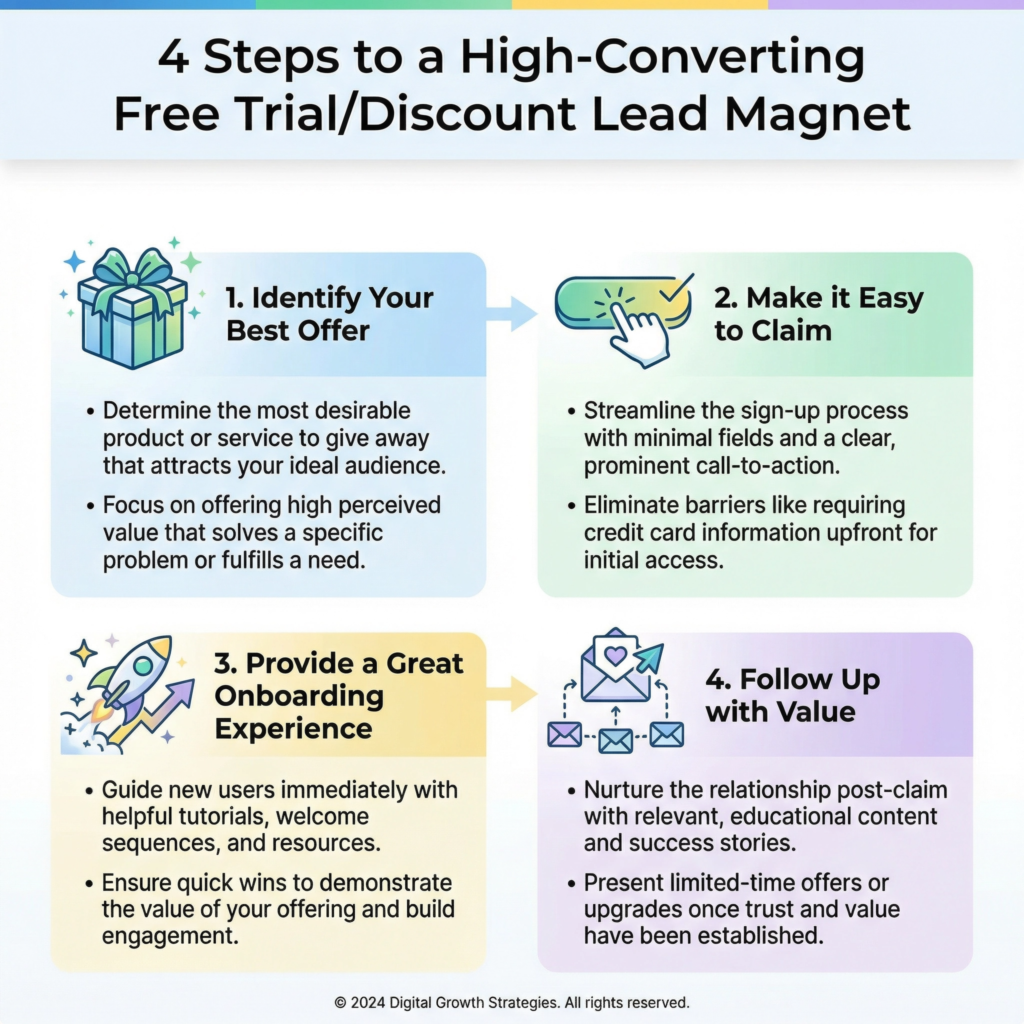
Think about what your audience might be hesitant about. Is your software too complex? Is your service too expensive? A free trial lets them test it out without commitment. A discount makes the first step more affordable.
For example, if you sell a project management tool, you could offer a “14-Day Free Trial.” If you offer a coaching service, it could be “20% Off Your First Coaching Session.”
The key is to make the offer clear, easy to claim, and genuinely valuable. You want them to get a taste of success so they are motivated to continue.
I like to make my free trials or discounts very specific. I clearly state what they get, for how long, and what happens after the trial ends.
Transparency builds trust. For a free trial, I make sure the onboarding process is super easy so they can get started quickly and see results fast.
For a discount, I make sure the offer is compelling enough to make them take action now. You can promote these offers with clear call-to-action buttons on your website, in your emails, and on social media.
The goal is to make it irresistible for them to say “yes” to trying your solution.
Once someone signs up for your free trial or claims your discount, you have a golden opportunity. You can send them a series of helpful emails to guide them through the experience.
Offer tips, tutorials, and success stories. Show them how to get the most out of their trial or how to maximize their discount.
This helps them see the full potential of your offering and increases the chances they will become a paying customer.
This lead magnet helps you build your email list with people who are actively looking for a solution and are ready to make a purchase.
They are the perfect audience for your full products or services.
Conclusion
We’ve explored a treasure trove of lead magnet ideas, each designed to help you connect with your ideal audience and grow your email list.
From practical tools like the Website Launch Checklist and Daily Productivity Checklist to expert resources like Short Ebooks or Guides and Resource Lists, you have many options.
We also looked at how Email Templates and Sales Page Templates can provide instant value, while engaging formats like Email Challenges and Quizzes or Assessments can foster deeper interaction.
Finally, we saw how a Free Trial or Discount can be the ultimate invitation to experience your offerings.
Each of these lead magnets serves a unique purpose, but they all share one common goal: to provide immense value to your audience in exchange for their contact information.
This is how you build a relationship, establish your authority, and nurture potential customers. You don’t need to create all of them at once.
The most important thing is to choose one that aligns with your expertise and your audience’s biggest needs, and then create it with care.
What Next?
Ready to Build a Brand That Gets Results?
Don’t let opportunities pass you by because people don’t know who you are or what you offer.
Learn how to define your unique value, grow your online presence, and build credibility that attracts customers and clients.
Start building your personal brand today—download your copy now!