
Shared hosting is a type of web hosting where multiple websites use resources on the same physical server.
Instead of renting an entire server for yourself, you share the server’s infrastructure with other hosting customers.
The server provides resources such as:
- CPU
- RAM
- Storage
- Network capacity
- Web server software
The hosting provider manages the underlying server, while you manage your own website through the tools provided with your hosting account.
AWS describes shared hosting as an environment where customers share server resources, including disk space, CPU and RAM. It also identifies new and small businesses, personal websites and blogs as common use cases.
A simple way to understand it is to imagine renting a room in a large building.
You have your own space for your belongings, but you share the building’s infrastructure with other people.
With shared hosting:
Your website = your private space
Server = the building
Server resources = shared building resources
This is one reason shared hosting can cost less than renting an entire server.
Table of Contents
How Does Shared Hosting Work?
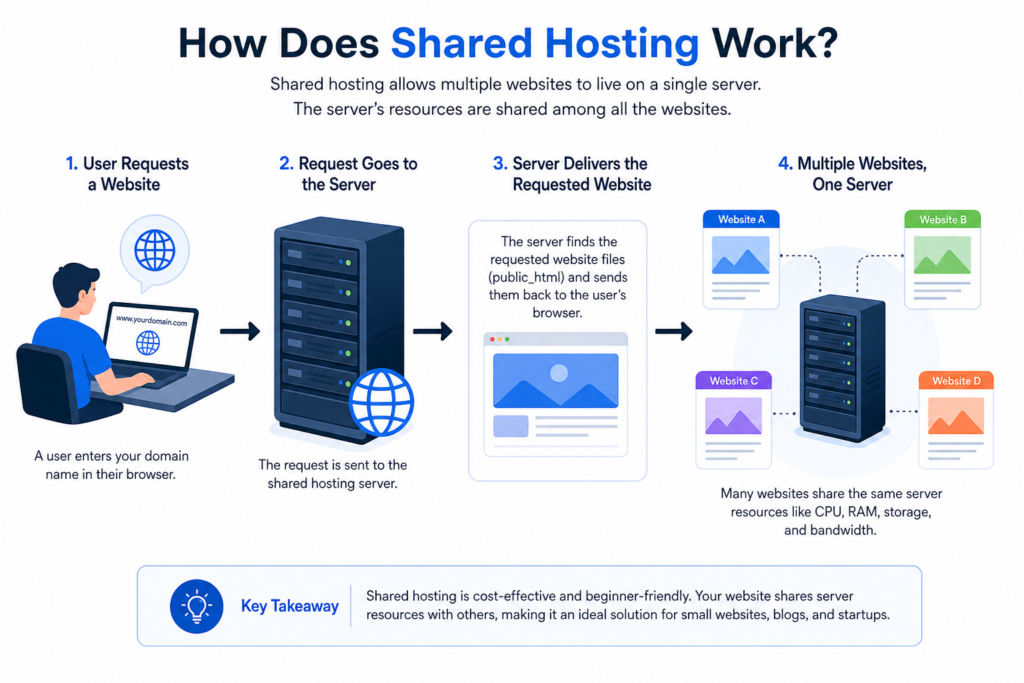
The process is simpler than it may sound.
Step 1: The hosting company operates a server
The provider owns or manages physical servers in a data centre.
Step 2: Multiple customers use the server
Many websites are hosted on the same physical machine.
Step 3: Each customer receives their own hosting account
Your website files are stored within your allocated account or directory.
Other customers don’t simply gain access to your website files because they share the same physical server.
Step 4: You manage your website
Your hosting provider usually gives you a control panel or other management interface.
From there, you may be able to:
- Install WordPress
- Upload files
- Create email accounts
- Manage databases
- Manage domains
- Configure website settings
- View resource usage
Step 5: Visitors access your website
When someone enters your domain name, the hosting server delivers the required website files to their browser.
In simple terms:
Visitor → Domain → Hosting server → Website files → Browser
Why Is Shared Hosting Affordable?
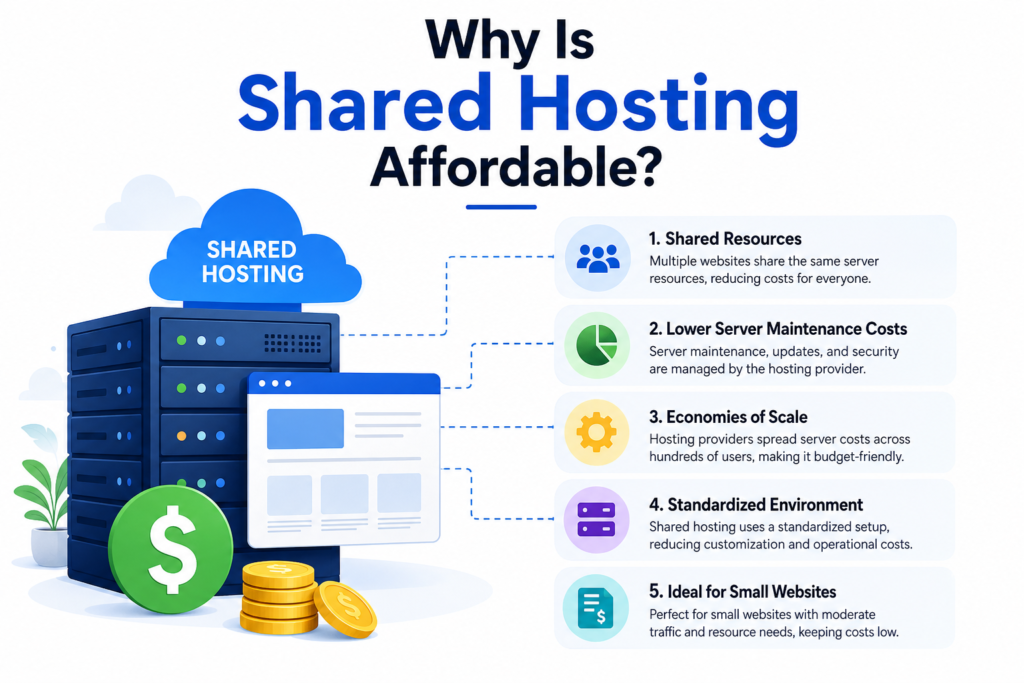
The main reason is resource sharing.
Imagine that you need a large building but only need one room.
Buying the entire building would be expensive.
Renting one room and sharing common infrastructure with other tenants is usually more affordable.
Shared hosting follows a similar principle.
The cost of operating the server is distributed among multiple customers rather than being paid entirely by one customer.
Namecheap describes shared hosting as an entry-level form of hosting where multiple websites use one physical server and share resources such as CPU, RAM and storage.
This makes shared hosting particularly relevant to people who are creating smaller websites and want to control their initial costs.
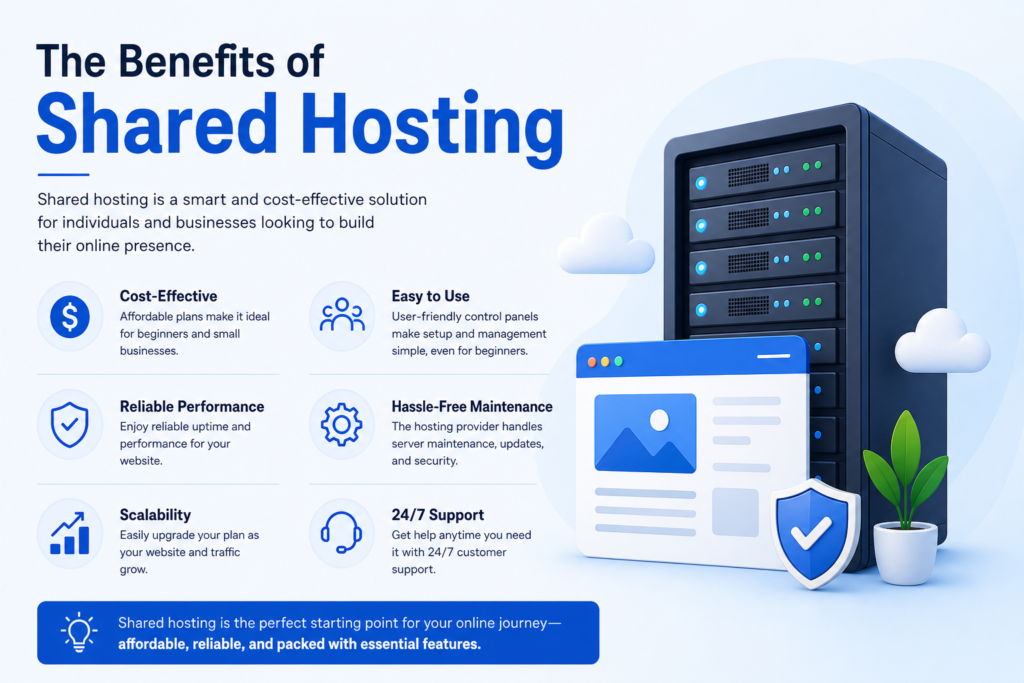
The Benefits of Shared Hosting
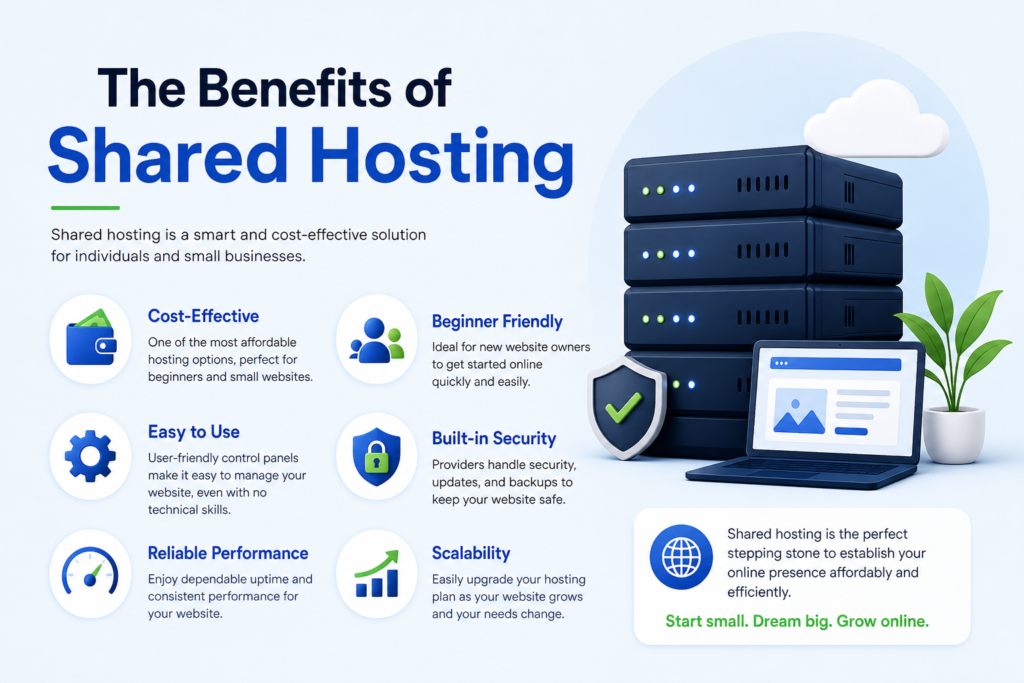
1. Lower Cost
One of the biggest attractions of shared hosting is affordability.
You are not paying for an entire physical server.
Instead, you share the underlying infrastructure with other customers.
This can make shared hosting a practical starting point for a new website with modest requirements.
2. Beginner-Friendly Setup
Shared hosting providers commonly provide tools designed to simplify website management.
Depending on the provider, you may get:
- A control panel
- One-click software installation
- Website builders
- Email management
- Database management
- File management
- Security tools
This means you can often launch a website without learning server administration.
Namecheap’s current shared-hosting documentation, for example, describes shared hosting as an entry-level option and highlights tools designed to help users build and manage websites.
3. Less Technical Server Management
With shared hosting, the provider generally manages the physical server.
You don’t need to purchase hardware, maintain the physical machine or manage the data centre.
AWS explains that hosting providers maintain, configure and operate the physical servers used for web hosting.
This allows beginners to concentrate on their actual website.
4. Suitable for Small Websites
Shared hosting can be appropriate for websites such as:
- Personal blogs
- Portfolio websites
- Small business websites
- Informational websites
- Beginner projects
- Simple websites for new online businesses
The appropriate choice still depends on the website’s requirements.
A small website with modest traffic generally has different needs from a large application with demanding workloads.
5. Easy to Start and Upgrade
You don’t necessarily have to use the same hosting arrangement forever.
If your website grows, you can investigate a larger shared plan or move to another hosting type.
Namecheap recommends considering factors such as storage, bandwidth, domains and software requirements when choosing a plan, and notes that starting with a more limited plan and upgrading later can be reasonable when the website grows.
This is an important principle for beginners:
Choose something appropriate for your current requirements while making sure you have a sensible upgrade path.
The Limitations of Shared Hosting
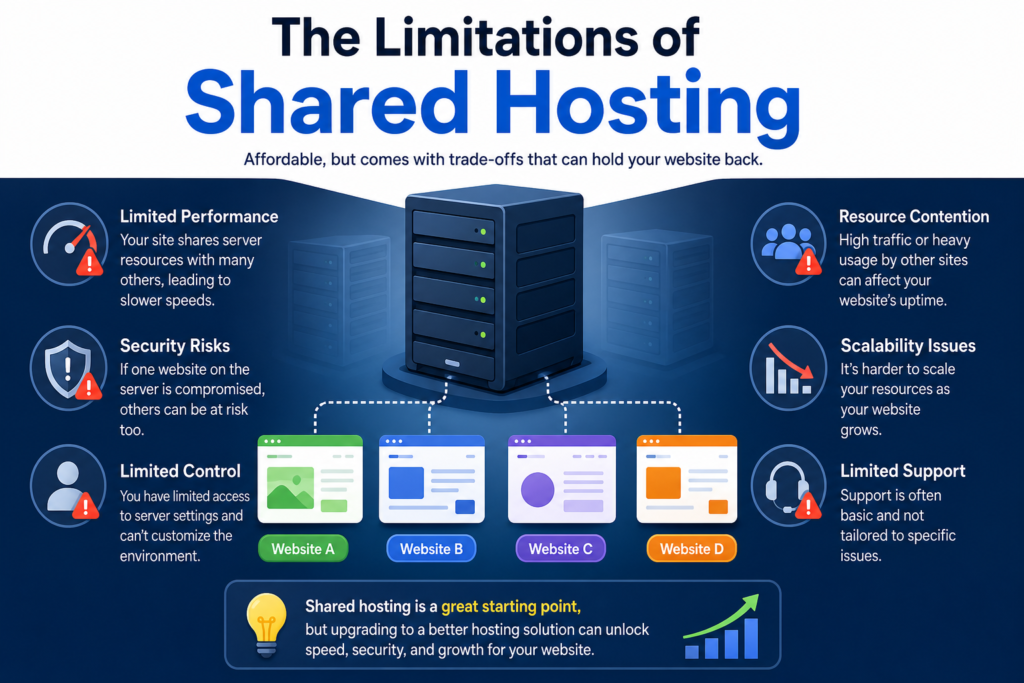
Shared hosting isn’t perfect.
Understanding its limitations is just as important as understanding its benefits.
Shared Resources
Your website shares server resources with other websites.
This can limit the amount of CPU, RAM or other resources available to your site.
Less Server Control
Shared hosting usually gives you less control over the server environment than VPS or dedicated hosting.
You generally cannot configure the server however you want.
Performance Can Vary
If another website on the same server consumes significant resources, it can potentially affect performance, depending on the provider’s resource controls.
Resource Limits
Hosting plans normally have limits, even when marketing uses terms such as “unlimited”.
The actual terms and resource policies can differ between providers.
For this reason, read the hosting plan’s specifications carefully.
Shared Hosting vs Cloud Hosting
Cloud hosting uses cloud infrastructure and can provide different approaches to resource allocation and scalability.
Shared hosting generally places multiple websites on one physical server and shares its resources.
Cloud hosting can use virtualised resources across cloud infrastructure.
These aren’t always directly comparable categories because providers package and define their services differently.
For a beginner, focus on the actual features rather than the label.
Ask:
- How much CPU is available?
- How much RAM?
- What storage is included?
- What are the resource limits?
- How easy is upgrading?
- What support is available?
- What backups are included?
The name of the hosting plan is only part of the decision.
How to Choose Shared Hosting
Before purchasing a plan, work through this checklist.
1. Identify Your Website Type
First, decide what you’re building.
For example:
Blog: Usually modest hosting requirements.
Small business website: May need several pages, contact forms and business email.
Online shop: May require additional resources depending on the platform, catalogue and traffic.
Web application: May require a different hosting environment altogether.
2. Check Storage
Find out how much storage is included.
Consider the size of:
- Website files
- Images
- Databases
- Emails
- Backups
Don’t automatically choose the plan with the largest storage number.
Consider what you actually need.
3. Check Resource Limits
Look beyond storage.
Check whether the provider specifies limits for:
- CPU
- RAM
- Processes
- Inodes
- Database usage
- Bandwidth
- Concurrent connections
These limits can matter more than a large headline storage figure.
4. Check WordPress Support
If you’re planning to use WordPress, check whether the hosting provider supports it and whether it provides convenient installation and management tools.
5. Check SSL
HTTPS is important for modern websites.
Check whether an SSL certificate is included and understand how it is issued and renewed.
6. Check Backups
Don’t assume every hosting company handles backups in exactly the same way.
Find out:
- How frequently backups occur
- How long they are retained
- Whether restoration is included
- Whether backups cost extra
- Whether you can create your own backups
7. Check Support
As a beginner, support can save you considerable time when something goes wrong.
Check whether the provider offers:
- Live chat
- Tickets
- Email support
- Knowledge bases
- Tutorials
- Documentation
8. Check Renewal Pricing
A promotional price may not be the same as the regular renewal price.
Before purchasing, check:
Initial price → Renewal price → Contract period → Additional fees
This gives you a clearer picture of the long-term cost.
Conclusion
Shared hosting is one of the simplest ways to understand website hosting.
Instead of renting an entire server, you share server infrastructure and resources with other websites.
That shared model helps keep costs lower and can make hosting accessible to beginners.
But shared hosting isn’t suitable for every website.
If you’re starting a blog, portfolio, small business website or another project with modest requirements, it can provide a practical place to begin.
The key is to avoid choosing hosting based purely on price or marketing claims.
Instead, look at:
Your website → Your resources → Your budget → Your technical needs → Your growth plans
Start with what you actually need today, while making sure you have a reasonable path to upgrade later.
If you’re ready to learn how to build your online presence but don’t know where to start, take the next step one piece at a time.
Get access to free training and learn the practical fundamentals of choosing your tools, creating your website and building your online business from the ground up.